I am unable to access my self assessment page
Problem:
I am unable to access my self-assessment page on Skillibrium Coach. When I attempt to open the self-assessment page, I encounter an information popup window displaying a message as shown in the image below. When I click on the OK button, I am redirected to the My Assessments page.

Cause
This behavior is expected when an evaluator is completing the leader assessment. It serves as a short term workaround for a reported issue where duplicate entries are created when an evaluator and a participant edit the same assessment template simultaneously.
Solution
To resolve this, you can either wait and give the evaluator some time to complete the leader assessment or you can reach out to the evaluator and ask them to follow the steps below:
1- Open the leader assessment.
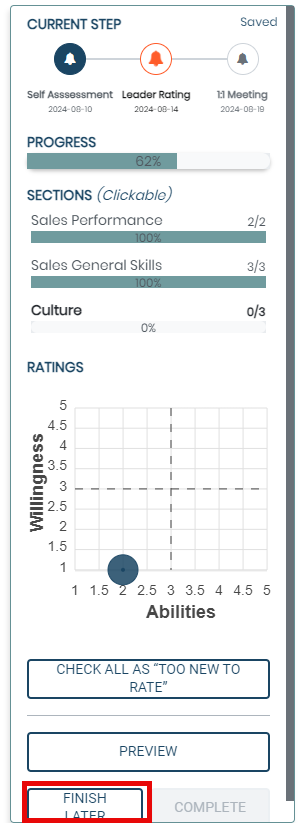
2- On the left panel of the assessment template, click Finish later button at the bottom.
If the above solution does not work for you, please raise a support ticket so we can look into the issue further.
Useful Read: