How to Create Opportunity Playbooks in Skillibrium

Create an opportunity playbook template

Idea
Applicable Roles:
  1. Administrators 

Skillibrium Execute provides customizable sales process playbook templates that can be used to enrich opportunities. Only Skillibrium administrators can set up opportunity playbooks templates within Skillibrium. 

Follow the steps below to create a new opportunity playbook template: 

1. Click EXECUTE from the menu bar.

    

2. Select Playbooks option.
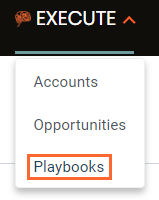
      

3. On the right side of the screen, click the + CREATE A PLAYBOOK button. 

     

4. Add details to your opportunity playbook. 


Info
Tags can be used to identify the type of opportunity playbook or framework you use for your GTM business. For example, you can tag the opportunity  playbook by size of the buying organization (i.e., SMB, Enterprise), sales region (North, South, East, West), or by a sales methodology (i.e., MEDDIC, Challenger, etc.)

5. Set the appropriate status for the playbook. 
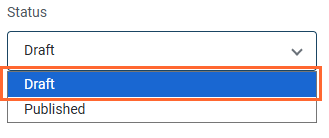
      
6. Click + NEW STAGE to begin adding stages to your opportunity playbook and customize it according to your needs. 

     
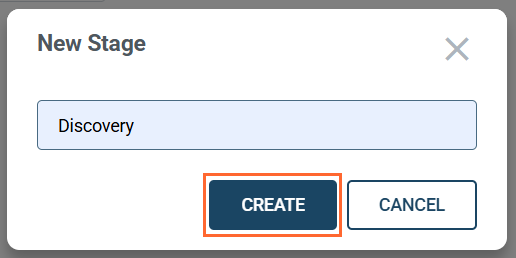
7. Insert a stage name and click CREATE. You can create as many stages as required for your opportunity playbook template.
            

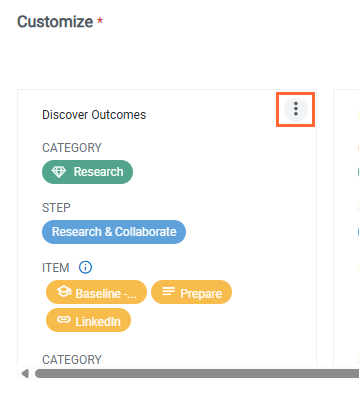
8. Click the kebab menu () on each card to customize the stages of the opportunity playbook template you created.
      

9. Click SAVE CHANGES


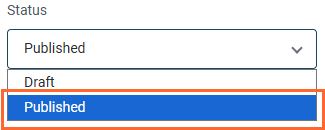
10. To publish this opportunity playbook, change the status to Published.
      

Info
  1. End users can apply only published opportunity playbook templates to opportunities.
  2. Admins can edit an opportunity playbook that is in Draft status.
    • Related Articles

    • Integrate training items to your organization's opportunity playbook

      Applicable Roles: Administrator Administrators can enhance their organization's opportunity playbooks by integrating training items. Administrators will be able to select a training item and choose from a range of courses or lessons available in the ...
    • Customize the stages of an opportunity playbook

      Applicable Roles: Administrators Each stage in an opportunity playbook template can be configured by adding new categories, steps, items, and follow-up questions. Follow the steps below to customize your opportunity playbook template: Click the kebab ...
    • Manage opportunity playbooks

      Applicable Roles: Administrators Skillibrium admins can manage the opportunity playbook templates created within the platform. Admins can update an opportunity playbook with new information or content, duplicate it, delete or archive it, and add ...
    • Create a custom button to open Skillibrium playbooks in Salesforce

      Applies to: Salesforce System Administrators To eliminate the need for manual lookups and navigation between systems, Salesforce system administrators can create custom buttons within Salesforce that link directly to the corresponding opportunity ...
    • Create opportunities

      Applicable Roles All Opportunities in Skillibrium are used to manage potential deals. Opportunities are linked to accounts. You can integrate opportunity records from solutions like Hubspot or Salesforce. Or you can create opportunities local to ...
