View Accounts

Applicable Roles
- All
Accounts store information about customers or individuals you do business with. Your accounts may come from an integrated CRM system, like Salesforce or Hubspot, or may be created natively in Skillibrium. Accounts help you keep track of details about the organizations you transact with (prospects) or have sold to (customers).
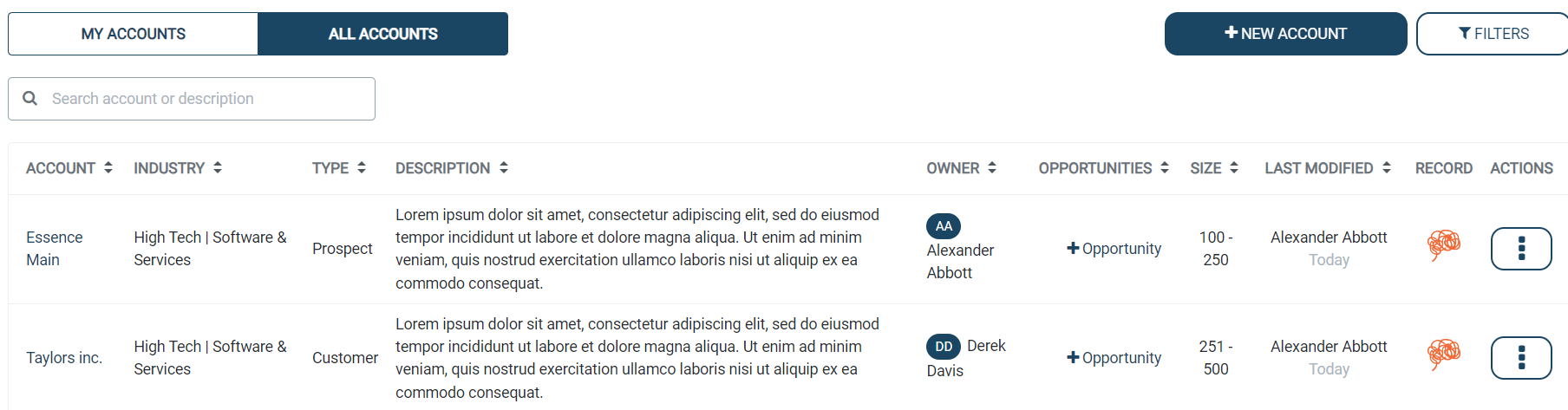
My Accounts: Accounts created by you.
All Accounts: Accounts created by other users in the organization.
To view accounts created by you or other users in your organization, follow the steps below:
- Click EXECUTE on the menu bar and select Accounts.
- Click either of the tabs - My Accounts or All Accounts.
The accounts related to the selected tab will appear in the table view.

Filter the table view
On the Accounts page, click the FILTERS button on the top right corner of the screen.

You can filter accounts in table view based on
- Industry
- Type
- Size
- Opportunity
- Last Modified
After applying the filters, the accounts table will be updated to display the filtered view.