Skillibrium 5.5 Release Notes - 20 August 2026
RELEASE VERSION
Skillibrium 5.5
RELEASE DATE
August 20, 2026
INTRODUCTION
This release is focused on enhancements in Learn, and bug fixes across Coach and Learn.
ENHANCEMENTS
1. Bulk enrollment when adding participants to training
Feature Module: Learn
Feature Group: Manage Training
Feature: Add Participants - Bulk Enrollment
Access: Learn > Training Catalog > Manage Training > Add Participants
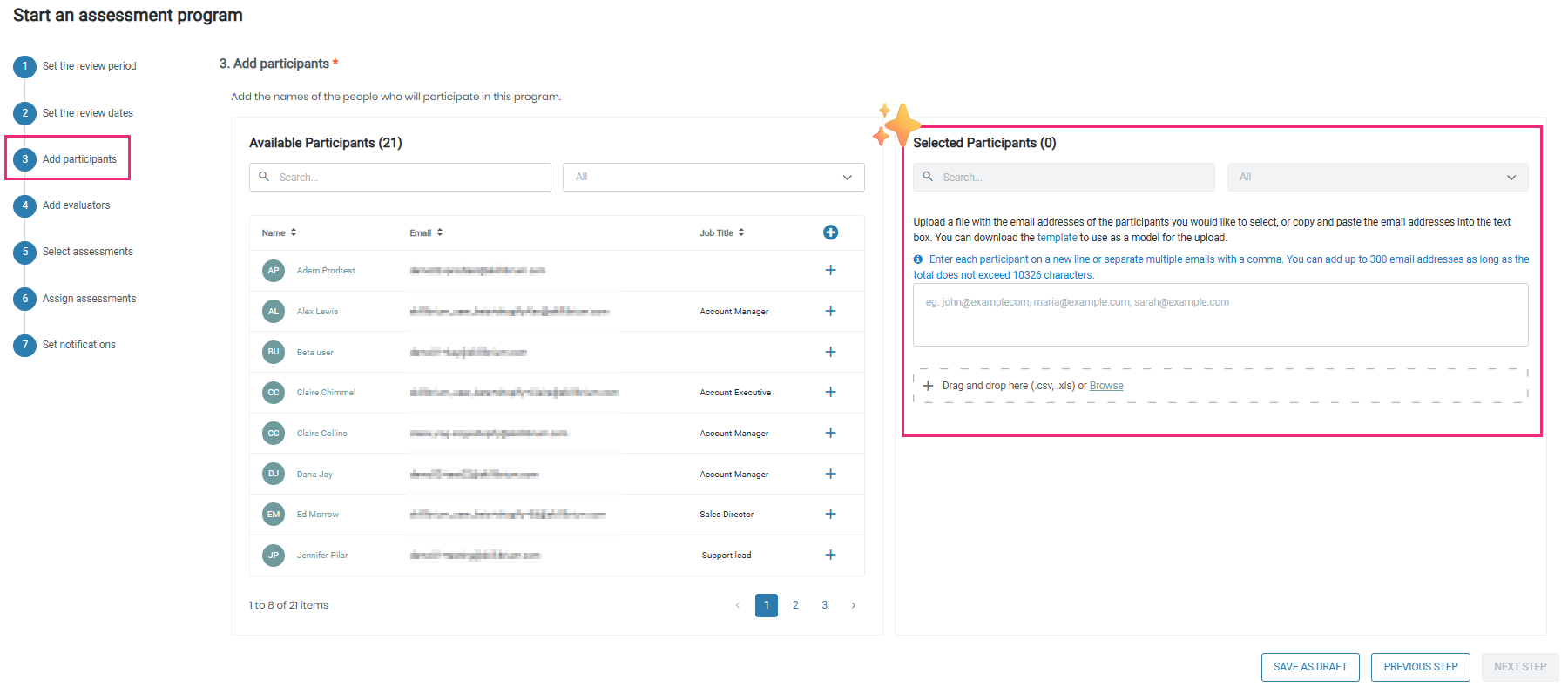
Description: We have introduced bulk enrollment within the Add Participants workflow for Learning Paths, Courses, and Lessons. In addition to adding users one at a time, admins can now enroll large groups in a single action, either by uploading a file built from the provided downloadable template or by pasting a list of email addresses. Selected participants appear immediately, with success and error notifications to confirm the results, making it fast to onboard an entire department or new-hire cohort.
2. Updated Contact Sales scheduling link on Skillibrium's pricing page
Feature Module: Paywall
Feature Group: Pricing page
Feature: Contact Sales
Access: Skillibrium's business site > Pricing page > Contact Sales button
Description: We have updated the Contact Sales button on the pricing page of our business site so that it now routes to the current scheduling link, making it easier for prospective customers to book time with our sales team.
BUG FIXES
1. Corrected file-upload validation in the Assessment Program
Bug Number: BUG-3006
Feature Group: Assessment Program
Feature: Add Participants - file upload
Access: Coach > Assessment Program > Step 3 (Add Participants)
Description: We resolved an issue in Step 3 (Add Participants) where uploading an unsupported file type displayed a generic error message and left the upload field unable to accept a valid .xlsx or .csv file without refreshing the page. Uploading an unsupported file now shows a clear validation message, and the upload field remains ready to accept a supported file right away.
Applicable Roles: Administrators and Supervisors
Known Issue Release Notes: N/A
Status: Fixed in production
2. Improved display and alignment in the Training Content view
Bug Number: BUG-2948, BUG-2963, BUG-3021
Feature Group: Training Content
Feature: Training Content display
Access: Learn > Training Catalog > open a training item > Training Content tab
Description: We resolved several display issues in the Training Content view. The header and item count no longer overlap with the table headers beneath them, the Description, Duration, and Preview columns now align consistently, duration values line up correctly under the Duration column, and thumbnails that previously appeared broken now render correctly.
Applicable Roles: All Users
Known Issue Release Notes: N/A
Status: Fixed in production
3. Restored column sorting on the My Training page
Bug Number: BUG-3002
Feature Group: My Training
Feature: Column sorting
Access: Learn > My Training
Description: We resolved an issue on the My Training page where columns that displayed a sorting icon did not reorder the records when clicked. Sortable columns now sort correctly and toggle between ascending and descending order.
Applicable Roles: All Users
Known Issue Release Notes: N/A
Status: Fixed in production
4. Restored Share and Edit options from Recently Watched
Bug Number: BUG-3031
Feature Group: Training Catalog
Feature: Recently Watched - Share and Edit options
Access: Learn > Training Catalog > Recently Watched > View All > select a tile > Options menu
Description: We resolved an issue where the Share and Edit options did not work for Lesson, Course, or Learning Path tiles opened from Recently Watched > View All. Selecting Share now opens the Share popup, and selecting Edit now opens the appropriate edit screen for the chosen item.
Applicable Roles: Administrators (Edit option) and All Users (Share option)
Known Issue Release Notes: N/A
Status: Fixed in production